


LibreTorrent
3.8307.00 Reviews
App Specs
- Version
- 4.1.1
- Updated On
- License
- Free
- Downloads
- 1,000,000+
- Developer
- proninyaroslav
- Categories
- Video Players & Editors
- Platform
- Android
Screenshots
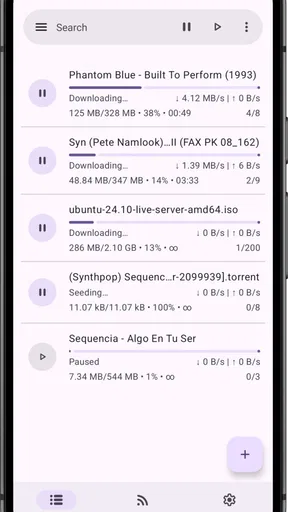
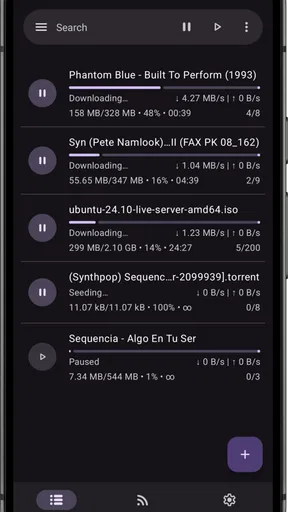
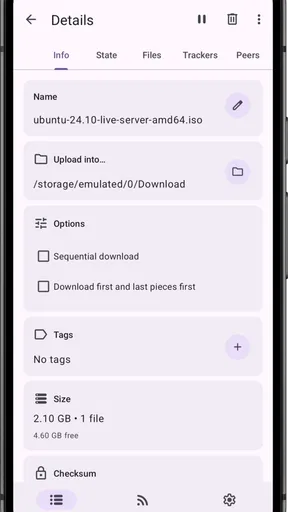
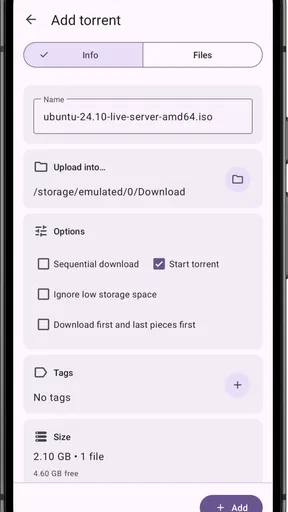
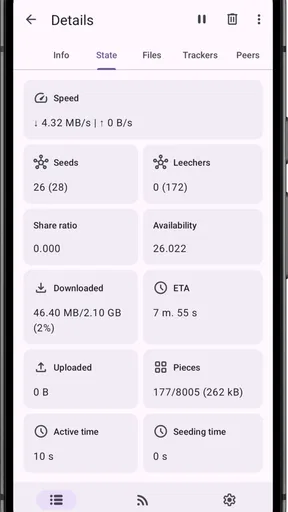
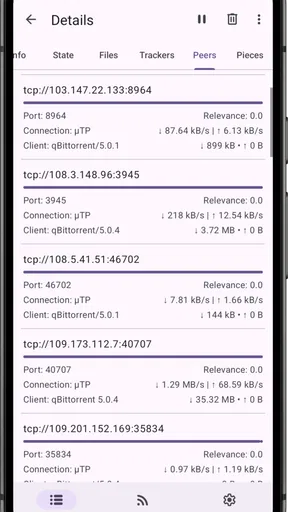
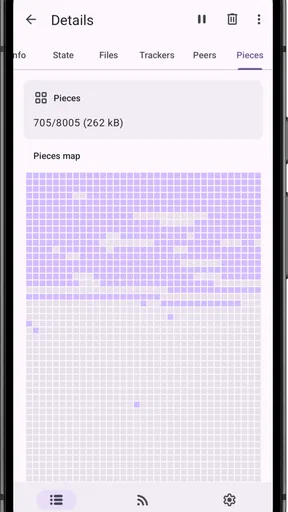
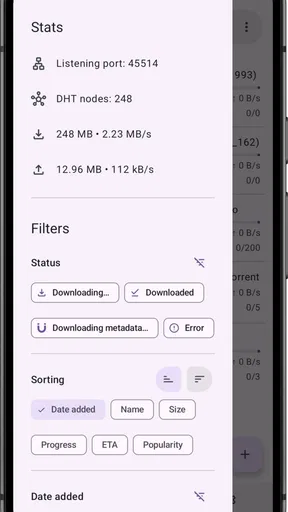
 Analysis by AppCompare
I spent time with LibreTorrent as a practical Android tool for handling torrent downloads, and my first impression was that it is aimed at people who want control rather than a polished entertainment hub. It belongs to the video players and editors category, although its real job is closer to a download manager: it helps you work with torrent files and magnet links from a phone or tablet. The app is free, open source, and developed by proninyaroslav, which immediately gives it a different character from many mainstream download utilities.
The important distinction is that LibreTorrent is not a streaming service and it is not a video editor. It does not replace a media library, a cloud drive, or a subscription platform. Its usefulness comes from managing downloads in a peer-to-peer workflow, then letting you deal with the resulting files using the player or file manager you already prefer. If that sounds like the kind of separation you want, it can be a very capable addition to an Android device. If you simply want to tap a film and watch it instantly, this is probably the wrong kind of app.
What using LibreTorrent feels like in everyday work
The interface is built around torrents rather than entertainment recommendations. That sounds obvious, but it changes how you use the app. Instead of browsing a catalog, I would begin with a torrent file or magnet link, inspect the available content, choose what I actually need, and then monitor the transfer. This is useful when a torrent contains several files and I do not want every item taking up storage. Selective downloading is one of the most practical habits to develop with a client like this.
A realistic example is moving a large collection of open-licensed videos or software images to a tablet before travelling. On a desktop, I might start the transfer and forget about it. On a phone, I would first check available storage, choose only the files required, and leave the app working while connected to a reliable network. Later, I could open the completed files in a separate video player. That workflow is less immediate than streaming, but it avoids depending on a server remaining available when I want to watch or access the material.
LibreTorrent also makes sense for people who regularly exchange large, legitimate files with a community, distribute open-source projects, or keep downloadable archives available to others. In those situations, a torrent client is more flexible than sending a huge attachment or repeatedly uploading the same package to a central service. The app’s open-source and copylefted identity will matter especially to users who prefer tools whose code and licensing approach are more transparent than those of closed alternatives.
At the same time, I would not recommend treating the app as a magic solution for slow downloads. Torrent performance depends on the swarm, the connection, the device, storage speed, and the quality of the source. LibreTorrent can organize the transfer, but it cannot create peers or guarantee that a particular file will be available. That is an important expectation to set before installing it.
Cost is simple, but value depends on your workflow
LibreTorrent is free to use. There is no purchase decision to weigh against a paid edition in the basic choice presented here, so its financial value is straightforward: you can try it without committing money. That makes experimentation easy, especially if you are moving from a desktop torrent client and want a mobile counterpart. The absence of an upfront price does not mean every download is cost-free in practice, though. Mobile data, storage, battery use, and the time spent managing files can still matter.
Worth Reading Before You Choose

EA SPORTS FC Mobile 26 Is a Bigger Football Game, but It Takes Time

Flipboard Shows What News Apps Must Do Beyond the Feed

Switching to Android Auto Means Rethinking Your Driving Routine

Google Calendar Makes a Crowded Week Easier to Manage

Ludo King Makes the Most of the Minutes Between Plans

Baby Panda World Brings Quick Play to Modern Phones, but Its Game Library Feels Busy
I see the strongest value in the control it gives over a task that Android’s ordinary browser and file tools do not handle particularly well. A browser download usually treats a file as a single direct transfer. A torrent client works with pieces and peers, which is useful when the distribution method is designed around that model. The benefit is not that every transfer becomes faster; the benefit is that you can participate in a different, more resilient way of obtaining and sharing large files.
Because the app has passed the million-install mark and carries an average score of 3.8 from around eight thousand ratings, it has clearly attracted a substantial audience without being universally loved. I read that combination as a sign that the app solves a real problem for many people while still demanding more technical patience than a typical one-tap downloader. The rating is not a reason to avoid it, but it is a reminder that torrent clients can feel very different depending on a user’s device, network, and expectations.
The free price is especially appealing if you only need torrent functionality occasionally. You can install it for a specific open-source download, a large public archive, or a file-sharing task, then keep it available for the next time. For frequent users, the value comes less from saving money and more from avoiding the limitations of a browser-based workflow. I would not frame it as a premium bargain; I would frame it as a no-cost tool whose usefulness increases with the complexity of the transfers you manage.
Small choices that make a big difference
My first practical tip is to treat storage selection as part of the download decision, not as an afterthought. Torrent collections often contain more than one useful item, and automatically taking everything can fill a phone quickly. Before starting, I would inspect the contents and select only what I need. This is one of the clearest differences between casually downloading a file and managing a torrent responsibly on a mobile device.
A second useful habit is to separate downloading from watching. LibreTorrent is not the player I would choose for evaluating a video while it is still arriving. I would let the transfer reach a useful state, confirm that the file is complete, and then open it in a media app suited to the format. Keeping those jobs separate makes troubleshooting easier: if playback fails, I can determine whether the issue is an incomplete download, an unsupported format, or the player itself.
A third trade-off involves leaving a torrent active after completion. Sharing finished pieces can be valuable in a peer-to-peer network, but it also means the app may continue using storage access, network capacity, and some battery. On a mobile device, I would review active tasks rather than assuming they should all remain running indefinitely. If I am on a limited connection or need battery for navigation, pausing unnecessary activity is more sensible than letting every completed item continue in the background.
I would also pay attention to where completed files are saved and how they are named. A tidy folder structure becomes increasingly important once several downloads accumulate. Moving files into clearly labelled folders after completion makes them easier to find in a media player and reduces the temptation to download duplicates later. This is mundane advice, but it has more impact on day-to-day satisfaction than changing a cosmetic setting.
For magnet links, patience is sometimes part of the process. A magnet link may need time to discover the torrent’s details before the actual file selection becomes clear. I would avoid repeatedly tapping the link or starting duplicates while waiting. If a task appears stalled, checking whether it has found metadata and peers is more useful than assuming the app has failed. This is the sort of behaviour that separates a comfortable torrent workflow from a frustrating one.
Where it is stronger than ordinary alternatives
Compared with downloading through a mobile browser, LibreTorrent offers a more appropriate model for large peer-to-peer transfers. A browser is convenient for a direct file from a known server, but it is not designed around choosing individual files inside a torrent, monitoring peer-based progress, or keeping several torrent tasks organized. If my source is a normal direct download, I would still choose the browser because it is simpler. If the source is a torrent, using a dedicated client is the logical choice.
Compared with a cloud drive, the difference is even more fundamental. Cloud storage is excellent when I want synchronized access to my own files across devices, while LibreTorrent is useful when the distribution itself is peer-to-peer. One does not replace the other. I would use cloud storage for personal documents and collaborative folders, and a torrent client for suitable large distributions where the torrent method is part of the point.
Compared with a desktop torrent program, the Android experience is naturally more constrained. A phone has less room for long-running transfers, less forgiving battery behaviour, and often more restrictive background management. LibreTorrent is valuable because it brings the essential workflow to a mobile device, not because a phone is automatically a better torrent machine. For very large, continuous seeding tasks, a desktop or dedicated home server may be more comfortable and dependable.
The app’s open-source character is another meaningful difference from many conventional utilities. I appreciate that it is not presented simply as a locked commercial product. Still, open source does not automatically mean effortless. LibreTorrent is best for someone willing to understand what a torrent is, where files are going, and why a transfer may pause. Users looking for a highly guided experience may prefer a more mainstream downloader even if it gives them less control.
Limitations I would consider before installing
The biggest limitation is the learning curve. Someone who has never used torrent files or magnet links may not immediately understand the difference between a source link, a torrent task, a peer, and a completed local file. The app can be useful without expert knowledge, but it rewards users who are prepared to learn the basic vocabulary and inspect what they are starting.
Another limitation is that the app cannot solve poor source availability. A torrent with few active peers may remain slow regardless of how well the client is configured. This can be confusing if you are accustomed to direct downloads that either work at the server’s available speed or fail clearly. With torrents, a task can appear active while making little progress, and the cause may be outside the app.
Mobile resource limits also deserve attention. Large downloads can consume considerable storage, and keeping transfers active may not suit every battery or data plan. I would be particularly careful on a phone used for work, travel, or emergency communication. The fact that LibreTorrent is free does not remove these practical costs, so I would plan downloads around Wi-Fi and available space rather than starting them casually.
Privacy and legality require personal responsibility as well. The technology can distribute legitimate open-source software, public-domain material, and other authorized files, but a torrent client does not decide whether a particular download is lawful or trustworthy. I would use sources I have a clear right to access, inspect file names carefully, and avoid treating the presence of a torrent link as proof that its contents are safe. That judgement remains with the user.
Finally, it is not the right app for someone who wants a media experience built around discovery. There are no reasons here to expect curated recommendations, instant playback, or the convenience of a paid streaming catalog. If your main goal is watching content with minimal setup, a streaming service or a dedicated video player will be a better fit. LibreTorrent is a utility, and its value appears when you need its particular transfer method.
Who will get the most from the free download
I would recommend LibreTorrent to Android users who already understand the basics of torrenting or are willing to spend a little time learning them. It suits people who download large legal files, prefer open-source tools, need selective file control, or want to manage transfers without returning to a desktop every time. It is also appealing to users who dislike installing a separate tool for every narrow task and want one focused client for torrent-based distribution.
It can be a good companion for a tablet used as a travel media device. I could prepare a collection at home, select only the videos I intend to watch, and then use a separate player once everything is ready. The approach takes more planning than streaming, but it can be useful when connectivity at the destination is unreliable. The key is to start with realistic file sizes and enough free space, rather than assuming a mobile device will comfortably hold an entire archive.
Developers, hobbyists, and open-source communities may also appreciate the app’s licensing philosophy and focused purpose. Someone who regularly downloads project images or distributes sizeable packages can gain more from a dedicated torrent workflow than a casual user who only downloads small files. In those cases, the app’s value is measured in control and repeatability rather than visual polish.
I would tell a less technical friend to skip it if they expect the app to identify trustworthy content, make decisions for them, or provide instant video playback. I would also suggest a desktop client when the task involves extended seeding, many simultaneous transfers, or a large home archive. The Android version is convenient, but convenience is not the same as being the best platform for every torrent job.
Version, compatibility, and the decision I would make
LibreTorrent was released on October 18, 2016, and the current version is 4.1.1. It requires Android 7.0 or later, while its Everyone age classification makes it broadly accessible from an age-rating perspective. Those details make it a realistic option for many existing Android devices, although I would still consider the phone’s storage, battery health, and background-app behaviour before assigning it a demanding download.
My overall view is positive, but specific. I would install it when I needed a free, open-source torrent client with enough control to choose files, manage transfers, and keep peer-to-peer downloads separate from playback. I would not install it merely because it sits near video apps in a store category. Its purpose is narrower and more technical than that placement suggests.
The best reason to choose LibreTorrent is control without an upfront cost. You can test whether its workflow fits your habits, and the app becomes more valuable when you regularly handle large, authorized torrent downloads. The trade-off is that you must manage storage, network use, file sources, and expectations about speed. It does not turn torrenting into streaming, and it does not remove the responsibility of choosing lawful, trustworthy content.
After considering the free access, the open-source approach, the mobile convenience, and the practical friction, I would recommend it to the right user rather than to everyone. For me, it earns a place on an Android device when peer-to-peer downloading is a real need. If your priority is one-tap media consumption, choose a conventional player or streaming app instead. If you want a focused tool for legitimate torrent work and are comfortable with a hands-on process, LibreTorrent offers meaningful value at no purchase price.
Pros
- Open-source and ad-free torrent client for Android.
- Supports magnet links
- torrents
- and sequential downloading.
- Offers fine control over download and upload limits.
- Includes RSS support for automating torrent downloads.
- Can save different torrents to separate storage locations.
Cons
- Android-only
- with no official iOS version available.
- Some advanced settings may feel overwhelming for beginners.
- Background downloading can consume considerable battery power.
- Requires careful permission and storage configuration on newer Android versions.
- Performance may vary with large torrents or slower storage devices.
FAQs for LibreTorrent
What is LibreTorrent, and what can I use it for?
LibreTorrent is an open-source BitTorrent client for Android that lets you download and share files through torrent and magnet links. During testing, it provided the essential tools expected from a mobile torrent manager, including download queues, pause and resume controls, selective file downloading, and basic torrent information. It is designed for users who want a transparent, feature-rich alternative to closed-source torrent apps.
Is LibreTorrent free to download and does it contain advertisements?
Yes, LibreTorrent is available free of charge, and its open-source nature makes its code publicly inspectable. One of its main advantages is that it generally focuses on functionality rather than pushing advertisements, subscriptions, or unnecessary in-app purchases. However, users should still download it from a trusted source, because unofficial modified versions may not provide the same security, updates, or privacy standards as the legitimate release.
Does LibreTorrent support magnet links and selective downloads?
Yes, LibreTorrent supports both traditional torrent files and magnet links, making it compatible with the most common ways of starting a BitTorrent download. It also allows you to choose which files inside a torrent should be downloaded, which is useful when a torrent contains several folders or large files that you do not need. These controls help reduce storage use and give you better management over mobile downloads.
Can LibreTorrent use a lot of battery, data, or storage on my phone?
It can, depending on how many torrents are active, how long they remain connected, and whether you continue seeding after downloads finish. Large downloads naturally consume storage, while downloading or uploading over mobile data may use your allowance quickly. In testing, the app offered controls that help manage activity, but users should configure limits, prefer Wi-Fi, monitor storage, and pause torrents when battery or data usage becomes a concern.
Is it legal and safe to download files with LibreTorrent?
LibreTorrent itself is a legal file-transfer tool, but the legality of a download depends entirely on the content and your local laws. BitTorrent can distribute open-source software, public-domain media, and files shared with permission, but downloading copyrighted material without authorization may be illegal. For safety, use reputable torrent sources, check file details and comments, keep Android updated, and avoid unknown executables or suspicious downloads.


